Browse repository source
Open Repos to check the repositories Kenn Forge knows about. Each card summarizes open work and recent repository state. Choose View source on a card, or run View repository source from the command palette while a pull request, issue, activity item, or workspace supplies the repository context.
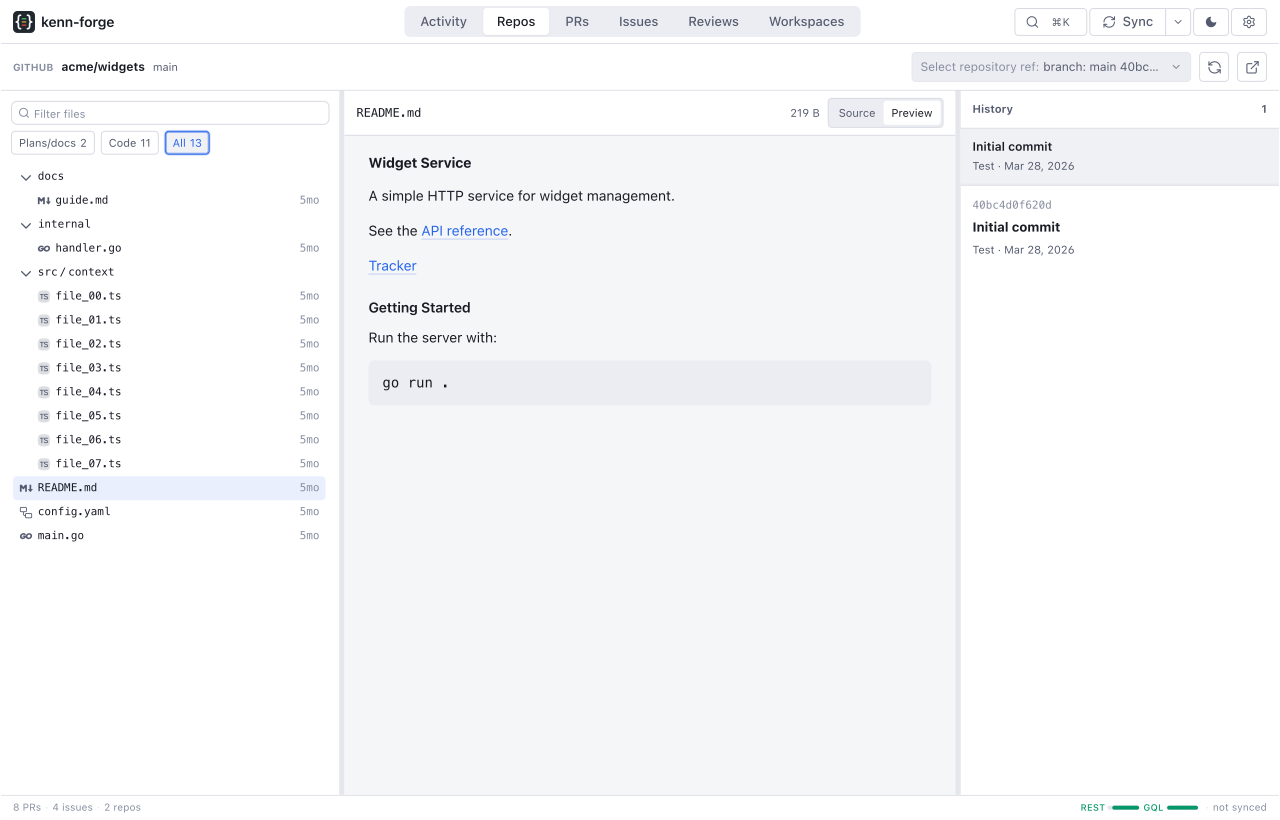
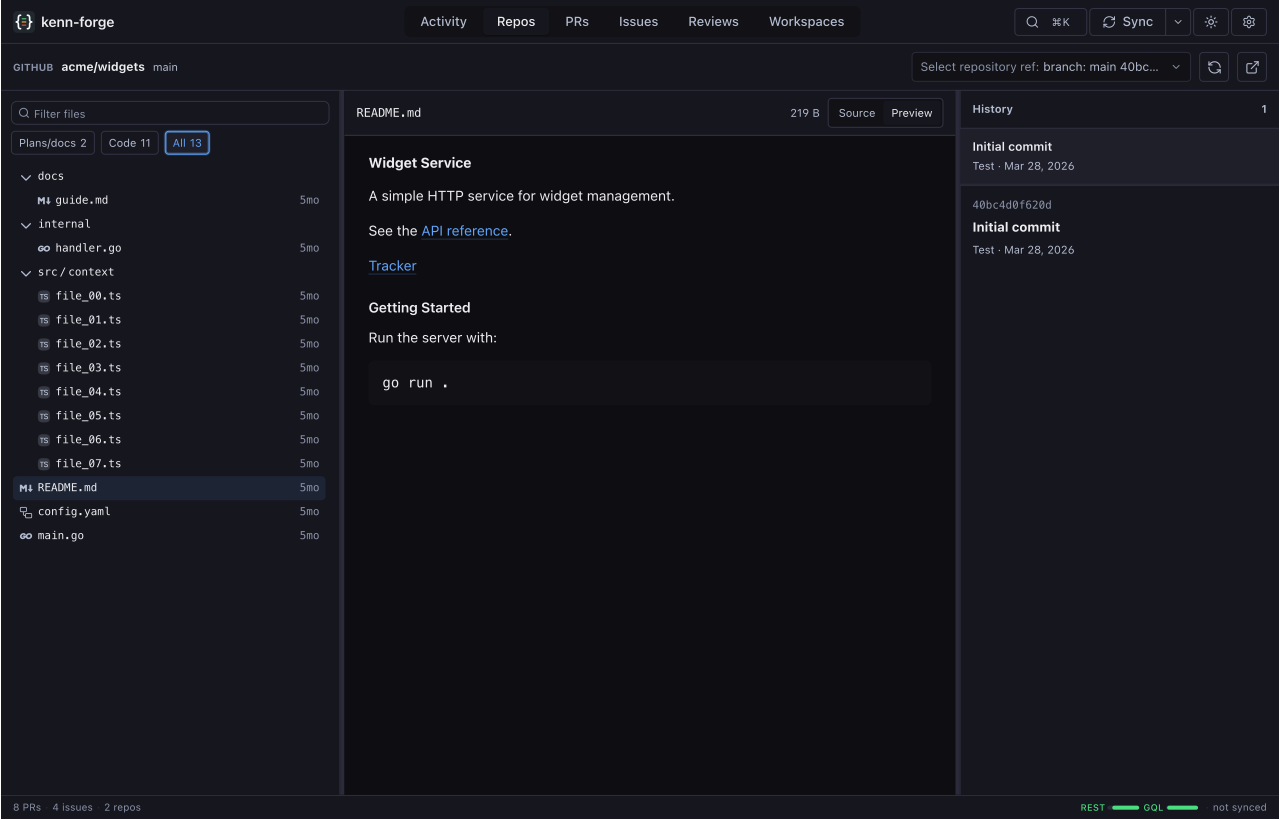
Pick a ref and file
Switch between branches and tags with the ref picker. The path filter narrows the file tree without changing the selected ref.
Select a file to read its source. Markdown files have Preview and Source modes, and headings in a preview can be linked directly. Supported images render inside Markdown previews.
The history rail lists commits that changed the selected file. Open a commit to inspect its SHA, author, date, subject, and commit message without losing the current repository and path.
Share the exact view
The browser URL records the provider host, repository, ref, file path, and preview mode. Copying the URL preserves that state, and browser Back and Forward return to earlier refs and files.
Branch and tag names can move. Forge resolves the selected ref to a commit while loading the page so the tree, file, and history belong to the same revision.
Refresh source
The source browser reads from its own local clone. It does not read from a workspace worktree, so uncommitted workspace changes do not appear here.
Forge creates the clone on first use and refreshes it automatically on the configured sync interval. This refresh is separate from repository sync. If a newly pushed branch or tag has not appeared yet, wait for the next source refresh, then reopen the ref picker.